English
Editor Onboarding & Quickstart
Pending model review
This page retains legacy instructions and is not the current API contract. Course/section endpoints have been removed; executable scene code is not supported. Use the current integration guide. Do not initialize an existing database from these legacy instructions.
If you are a mathematics teacher, teaching assistant, content creator, or textbook author, this guide will help you get onboarded and start authoring your first structured mathematical course on MakiMath.
The Role of an Editor
In MakiMath, courseware and learning graphs are curated collaboratively by editors:
- Zero Local Setup: No need to configure local Node.js environments, databases, or heavy LaTeX compilers. All authoring and typesetting happen natively in your browser.
- Topological Thinking: Structure learning material not just as raw text, but as a dynamic knowledge graph with explicit prerequisite dependencies.
- Real-Time WYSIWYG: Powered by Typst and WebAssembly, formulas and theorems render with native vector precision in milliseconds.
Step 1: Obtain an Invitation & Register
To safeguard academic rigor and course quality, MakiMath uses an invitation-based access system for editors.
- Get an Invitation Code: Contact a platform administrator to request an invitation code (formatted like
MK-A8B9C2). - Register Your Editor Account:
- Open the platform homepage and click the user avatar / login button.
- In the modal dialog, provide:
- Username (alphanumeric)
- Display name (e.g., Professor Gauss)
- Password
- Invitation code
- Submit to complete registration and log in automatically.
Step 2: Understand the 4-Tier Course Hierarchy
Before authoring, keep the four-tier content model in mind:
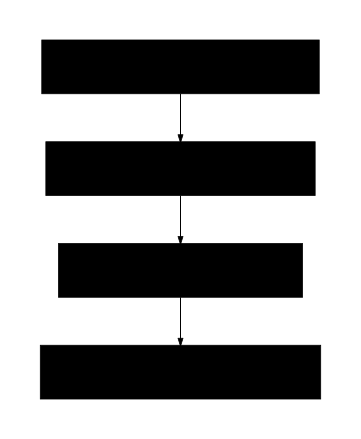
TIP
- Categories and Courses are initialized by administrators or course coordinators.
- Chapters and Sections are where editors spend their time. Sections contain the actual Typst lecture content, theorems, and formulas.
Step 3: Enter the Editor Workbench (/workbench)
After logging in, access the Lecture Workbench (/workbench):
1. Workbench Layout Overview
- Left Sidebar: Shows the tree of courses you have permission to edit. Add new chapters, create sections, or drag and drop to reorder.
- Center Editor: Typst source code editor with real-time syntax highlighting, formula snippets, and undo/redo support.
- Right Preview: Native vector preview powered by Typlet (WebAssembly), updating with every keystroke.
Step 4: Write Your First Mathematical Lecture
Click on a section in the tree and start writing in modern Typst syntax:
typst
#let theorem(title, body) = block(
  fill: rgb("f8fafc"),
  inset: 12pt,
  radius: 6pt,
  stroke: (left: 4pt + rgb("0284c7")),
)[
  *Theorem* (#title) \
  #body
]

== Equivalent Infinitesimal Substitution

#theorem("Fundamental Substitution Principle")[
  Let $alpha ~ alpha'$ and $beta ~ beta'$ in the same limiting process. If $lim (alpha')/(beta')$ exists, then:
  $ lim (alpha)/(beta) = lim (alpha')/(beta') $
]

*Key Takeaways*:
1. Multiplicative terms can be **substituted directly**;
2. Additive terms require caution: verify the leading orders do not cancel out completely.
Why Typst?
Compared to traditional LaTeX, Typst formula syntax is much more intuitive:
- Inline math uses
$x + y$. - Display math uses
$ \sum_{i=1}^n x_i = C $. - Fractions write as
$a/b$instead of cumbersome\frac{a}{b}. See the Typst Math Guide for details.
Step 5: Configure Prerequisite Dependencies (Knowledge Graph)
In the section properties panel, locate Prerequisites:
- Open the Prerequisite Picker.
- Select the sections that a student must master before reading this section.
- Example: Before studying "L'Hôpital's Rule", mark "Basic Derivatives" and "Cauchy's Mean Value Theorem" as prerequisites.
- Save changes. The system automatically verifies that no circular references are formed.
- Result: The student-facing roadmap graph will draw dependency arrows pointing to this section, displaying: "Recommended after completing Cauchy's Mean Value Theorem".
Step 6: Publishing & Lifecycle States
Courses and sections progress through distinct lifecycle states:
| Status | Description |
|---|---|
draft | Visible only to editors and administrators for authoring and review. |
live | Published to all public learners without requiring login. |
hidden | Temporarily unlisted from public directories; accessible via direct link. |
archived | Deprecated or historic version kept in read-only mode. |
Once your lecture is polished, update its status to make it immediately accessible on the knowledge graph!
Next Steps
- Master typesetting syntax: Typst Math Guide.
- Explore workbench features: Editor Workbench Guide.